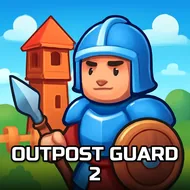
Outpost Guard 2
Instructions:
Tap or click to place weapons on your base Select a weapon slot to upgrade or repair it Defend against incoming enemy waves Mouse on desktop touch on mobileDescription
Outpost Guard 2 - Play Free Right Now
Protecting a stronghold from endless waves of attackers here comes down to smart weapon placement, choosing between cannons, gunners, lasers, freezers, poison towers, rocket launchers, and heavy melee blades based on each weapon's specific damage type, range, and reload speed. That level of weapon variety gives the loadout-building side of the game real depth, since a setup that works well against one enemy wave might struggle badly against the next without some careful adjustment.
Key Combinations
- Tap or click to place a weapon in an available slot on your base.
- Select an existing weapon slot to upgrade or repair it between waves.
- Position top slots for weapons with longer range and open sightlines.
- Reserve close slots for melee weapons that hit hardest up close.
Top Tips
- Mix weapon types across your base rather than repeating the same one everywhere.
- Save coins for pierce or damage-over-time weapons against heavily armored enemies.
- Repair damaged weapon slots promptly rather than letting them fail during a wave.
Standout Features
The sheer range of available weapon types, each with genuinely distinct roles, gives this one considerably more strategic depth than a typical simplified base defense title usually manages to include. Working through the earlier, more forgiving waves before committing fully to a specific weapon loadout tends to reveal which combination of range, damage type, and reload speed genuinely suits your own defensive style, and that accumulated knowledge makes the game's tougher later waves considerably less overwhelming once you finally reach them.